Buying guides//4 min read
How to Choose a POS System for Your Shop in Lebanon: A 10-Point Checklist
A point-of-sale system does much more than print receipts. The right one keeps your stock accurate, shows who owes you money, and tells you whether you’re actually making a profit. The wrong one becomes a very expensive cash register. Whether you run a mini market, a clothing store, an electronics shop or a wholesale business, here’s a practical checklist of what to look for before you choose a POS system in Lebanon.
By the iDevelopIt team
1. It works with the hardware you use
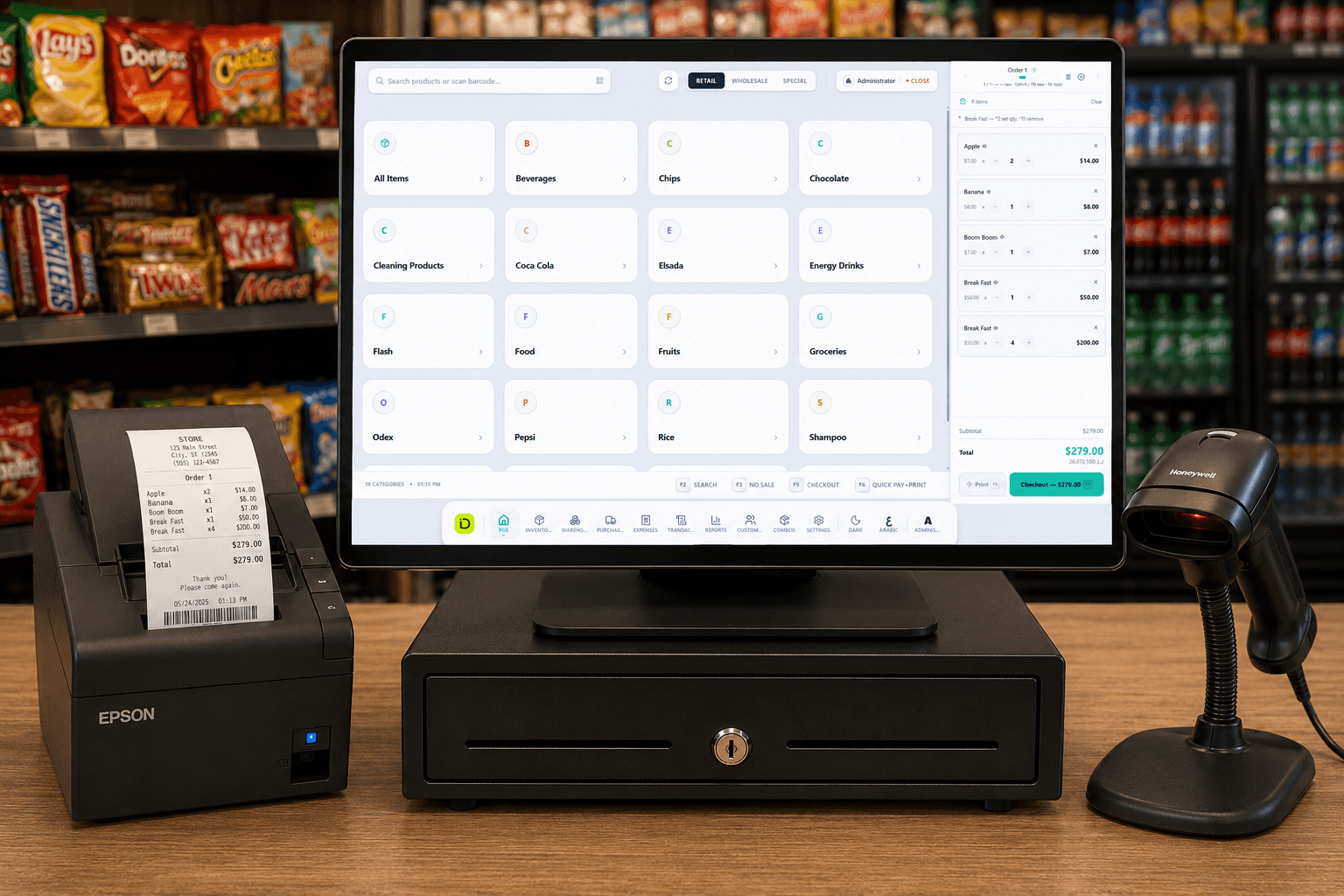
Check that the system supports barcode scanners, receipt printers and cash drawers — ideally plug-and-play. If you already own hardware, ask to test the POS with your actual scanner and printer so there are no surprises on the shop floor.
2. It handles retail, wholesale and special prices
Many shops sell the same product at different prices depending on who’s buying. A good POS lets you set retail, wholesale and special pricing and apply the right one at checkout, instead of calculating discounts by hand.
3. Inventory you can actually trust
Stock should update automatically with every sale and every purchase. Look for:
- Search and filters across all your products and categories
- Clear stock levels and a quick view of what’s running low
- Cost price next to retail price, so you know the margin on each item
- A setting that decides whether sales can continue when an item shows zero stock
4. Purchases and supplier balances
Buying stock is half the business. A POS that records purchase orders — ordered, received, paid or partially paid — shows exactly how much you owe each supplier and stops invoices from slipping through the cracks.
5. Customer accounts and credit
If regular customers buy on credit and pay later, the POS needs to track it. Look for customer records with outstanding balances, so you can see at a glance who is settled and who still owes — no more notebooks behind the counter.
6. Expenses, not just sales
Rent, salaries, utilities and supplier payments decide whether a good sales month was actually profitable. A POS that logs expenses by category — including recurring ones — gives you the full picture in one place.
7. Reports that show real profit
Sales totals aren’t enough. The reports that matter show revenue, expenses, discounts given and net profit for any date range, and ideally the gross profit and margin of each transaction. That’s how you spot products that sell a lot but earn very little.
8. Users, roles and multiple branches
Give each employee their own account so every sale is traceable. If you have — or plan to open — a second location, check that the POS can manage stock, sales and expenses per branch and across all branches from a single system.
9. Arabic and a comfortable interface
Your staff will use the POS all day. Full Arabic language support, a clear layout, keyboard shortcuts and a dark mode for long shifts make a real difference to speed and mistakes at the counter.
10. Settings that fit your store
You should be able to add your logo and store details to receipts, set up categories, suppliers and customers, choose your currency and language, and connect your devices — without calling the developer every time something changes.
Questions to ask before you buy
- 01Can I see the system running in a real store, not just a demo?
- 02What exactly is included in the price, and what costs extra?
- 03Does it work with my scanner, printer and cash drawer?
- 04How are updates, support and training handled after installation?
- 05Can I get my data out if I ever switch systems?
- 06What changes — and what does it cost — as I add branches or employees?
How iDevelopIt POS covers this checklist
We designed and built iDevelopIt POS end-to-end, and it’s already running in real stores. It supports barcode scanners, receipt printers and cash drawers; retail, wholesale and special pricing; inventory with low stock alerts; purchase orders and supplier balances; customer balances; expenses; profit and margin reports; employee accounts; multi-branch operations; and full Arabic with dark mode.
| Tier | Price | Includes |
|---|---|---|
| Tier 1 | $300 | Inventory management, sales screen, receipt printing, daily report |
| Tier 2 | $450 | Everything in Tier 1, plus customer management, barcode scanner support and low stock alerts |
| Tier 3 | $600 | Everything in Tier 2, plus multi-branch support, employee accounts, expense tracking and an analytics dashboard |
Frequently asked questions
How much does a POS system cost in Lebanon?
+
iDevelopIt POS costs $300, $450 or $600 depending on the tier — from inventory, sales and receipt printing up to multi-branch support, employee accounts and expense tracking.
Does a POS system work with barcode scanners and receipt printers?
+
It should — check before you buy. iDevelopIt POS supports barcode scanners, receipt printers and cash drawers.
Can a POS system track customers who buy on credit?
+
A good one can. iDevelopIt POS keeps customer records with outstanding balances, so you can see who is settled and who still owes.